
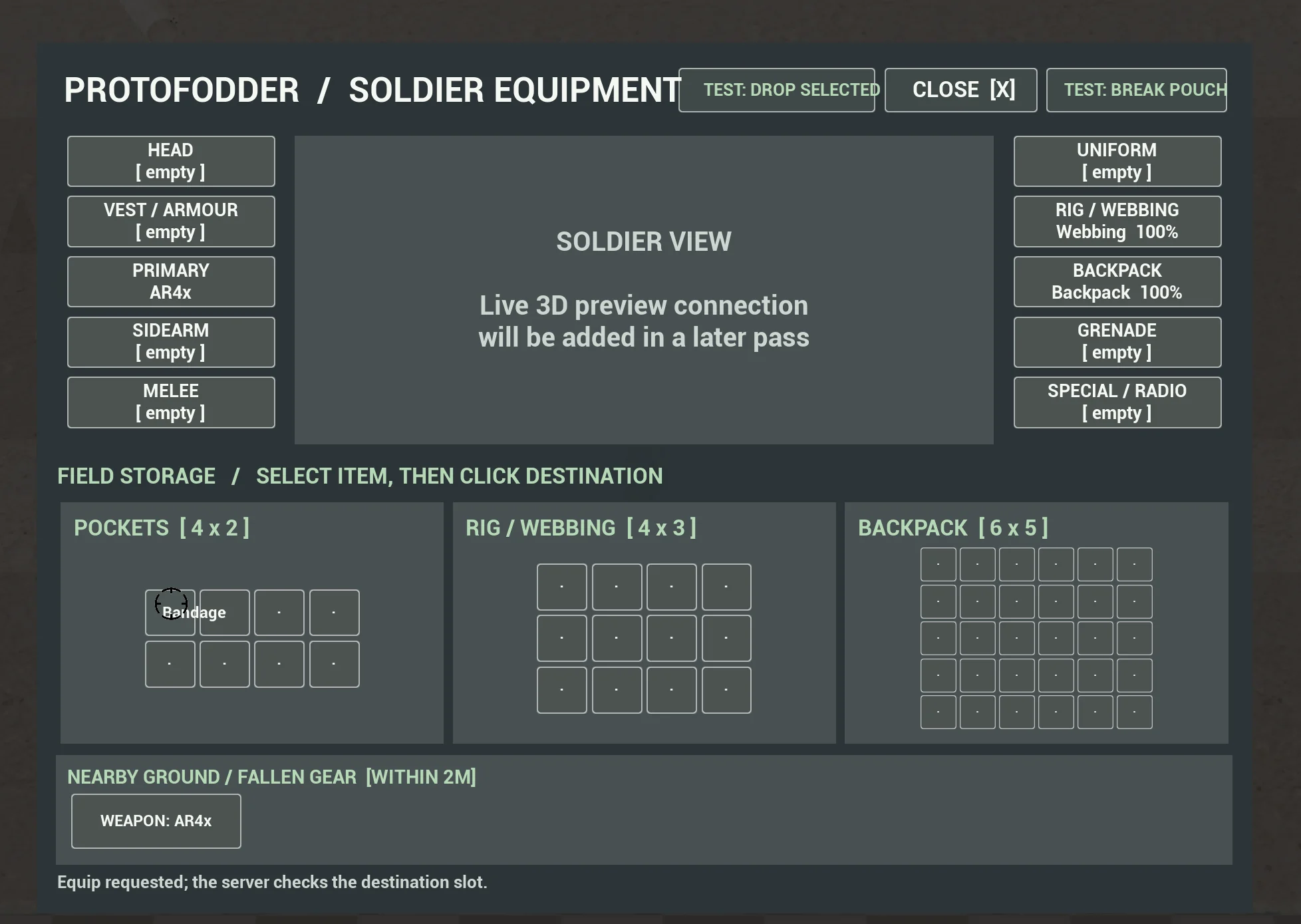
I’ve spent a fair bit of development time on one of the less flashy parts of Protofodder: the inventory.
There are no explosions involved, which is terribly inconsiderate of it, but it’s one of those systems that everything else eventually leans on. If I want soldiers to scavenge equipment, prepare for operations and actually make meaningful choices about what they carry, the inventory has to do more than open a list of item names.
So that’s what I’ve been working on.
More than an equipment menu
My aim is to give each soldier a believable set of equipment choices without turning every mission into an exercise in rearranging tiny squares for twenty minutes.
The new interface now has dedicated equipment positions for a primary weapon, sidearm, uniform, armour, webbing, backpack and more. Alongside those slots are three separate storage areas:
- Pockets: 4 × 2
- Rig / webbing: 4 × 3
- Backpack: 6 × 5
Items take up different amounts of room, and not every item belongs in every container. The underlying system also tracks item condition and supports equipment-specific storage rules, which gives me a useful foundation for more involved loadout decisions later.
Getting equipment into the right place
The interface has moved beyond a static mock-up. I can interact with items, inspect them, move them between compatible storage areas and equip them in the appropriate slots. There’s also a context menu for the common actions.
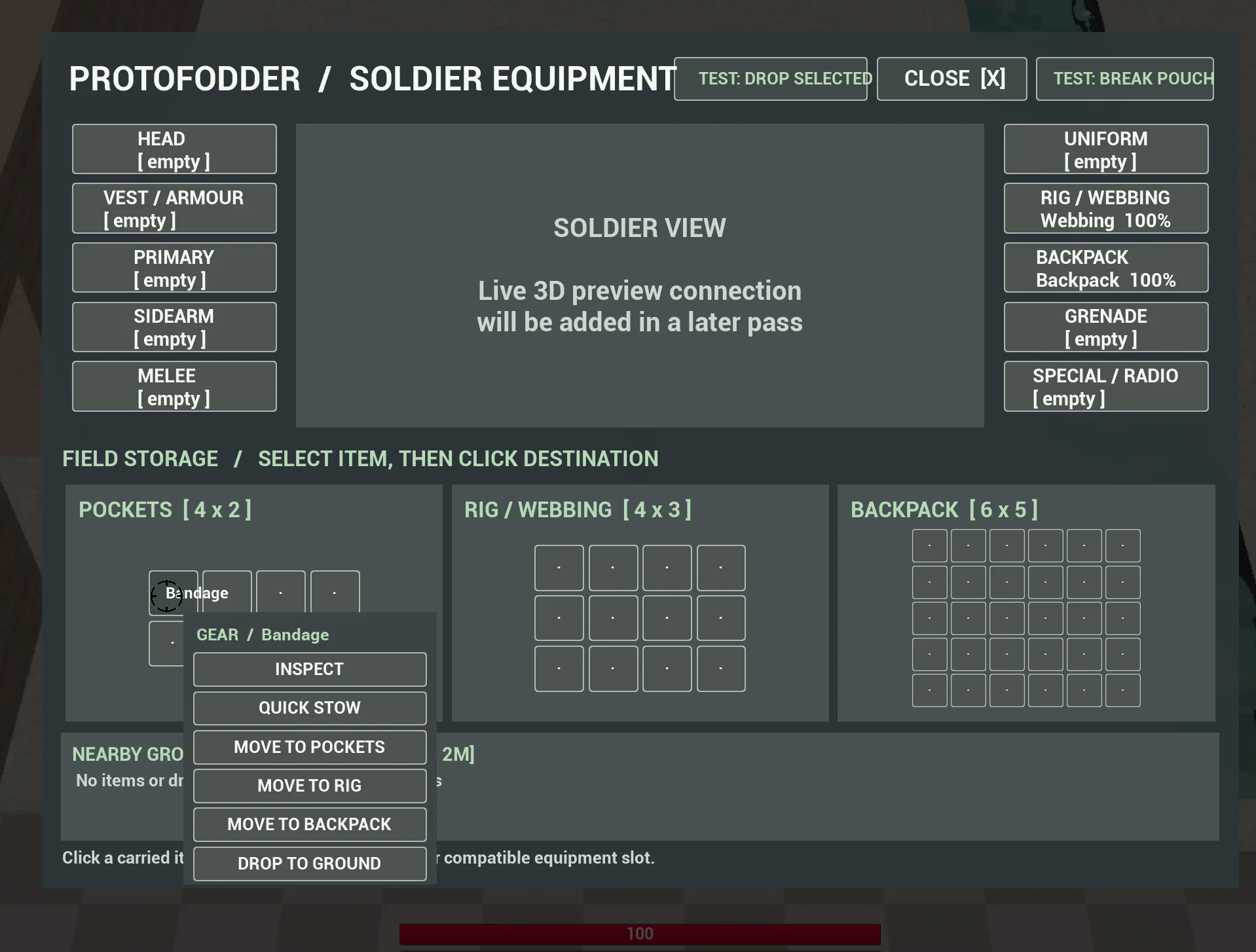
Nearby ground items also appear in their own area when the soldier is close enough. That keeps the relationship between carried gear and scavenged equipment visible rather than making items magically teleport between the world and a menu.
Making the old weapons work with the new inventory
This has probably been the trickiest part.
Protofodder already had a working weapon setup, including aiming, firing, switching and character animation. I didn’t want to throw all of that away just because I’d decided the inventory needed to grow up.
After quite a bit of integration and testing, the inventory can now equip both a rifle and a pistol, switch between them and remove them again. One small change made a surprisingly big difference: equipping a weapon no longer automatically makes it the active weapon.
If a soldier is holding a rifle and picks up a pistol, the pistol can go into the sidearm slot while the rifle stays in their hands. The player chooses when to switch. It sounds tiny written down, but it makes the whole system much more predictable.
Dropping weapons back into the world
Dropping equipment is now part of the loop as well.
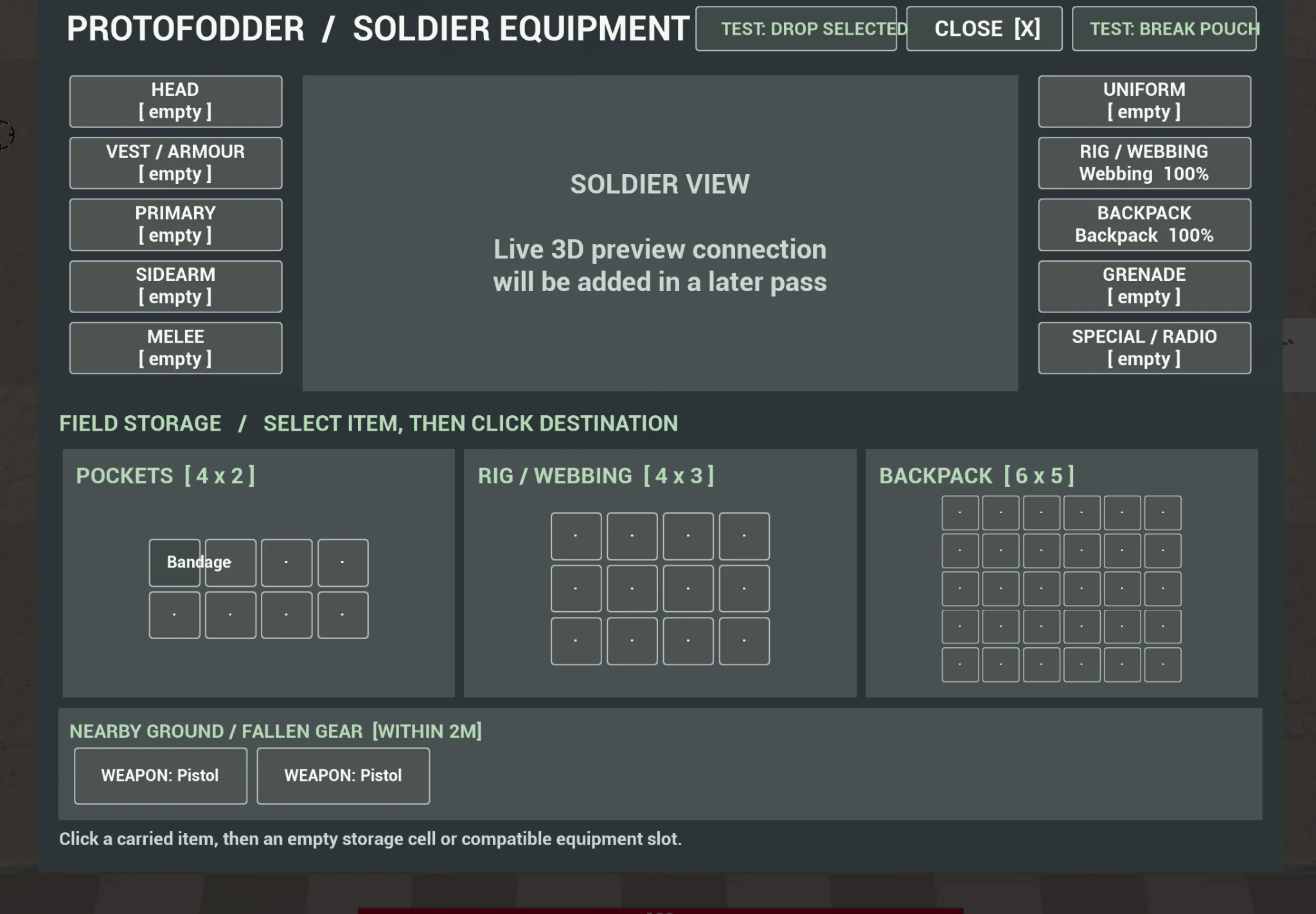
Rather than simply deleting an item when it leaves the inventory, the system creates a world item and preserves the underlying item data. That means it can be recovered again through the inventory instead of becoming a decorative prop with no memory of what it was.
The first version represented dropped weapons as plain boxes. Functional? Yes. Convincing? Absolutely not.
Those boxes have now been replaced with the actual weapon meshes.
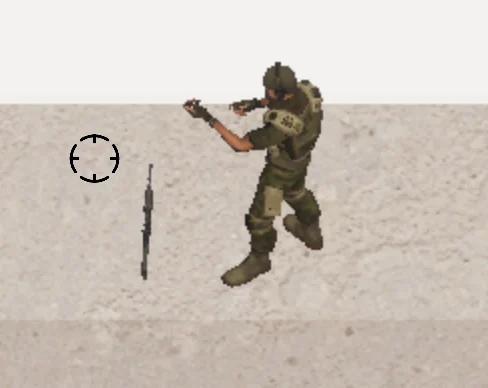
The rotation obviously needs another pass, and some of the drop-state animation work is still being cleaned up, but this is already a much better starting point than anonymous cubes.
What comes next?
The immediate focus is polish and integration rather than bolting another system onto the side of it.
Dropped weapons need better ground placement, and interaction and animation state need to remain consistent when a soldier drops or recovers a weapon. The F-key interaction path for previously dropped inventory items is also still work-in-progress.
There’s some older equipment logic still operating alongside the new inventory too. It works for now, so I’m leaving it alone while the new system proves itself. Consolidating those responsibilities is a job for a future development pass, not something I want to rush at the end of a long day and then spend the following night finding out what I broke.
Working now: equipment slots, grid storage, item actions, rifle and pistol integration, independent active-weapon selection, item condition data and world drops with visible weapon meshes.
Still in progress: ground-mesh orientation, drop-state animation polish and the F-key interaction path for previously dropped items.
It’s foundational work, but it opens the door to the bits I actually want this system to support later: scavenging supplies, preparing individual soldiers for operations and making the equipment you take into the field matter.
Until next time, back to the jungle.