Devlog Update: Zombie Mechanics, Combat, and Player Animations

Hey everyone!

I’ve been making solid progress on the game, and I thought it was a good time to update you all on what’s been happening behind the scenes. The focus lately has been on refining the zombie mechanics, adding more depth to the combat system, and polishing up the player animations. Here’s a breakdown of the latest changes:

Completed Tasks:

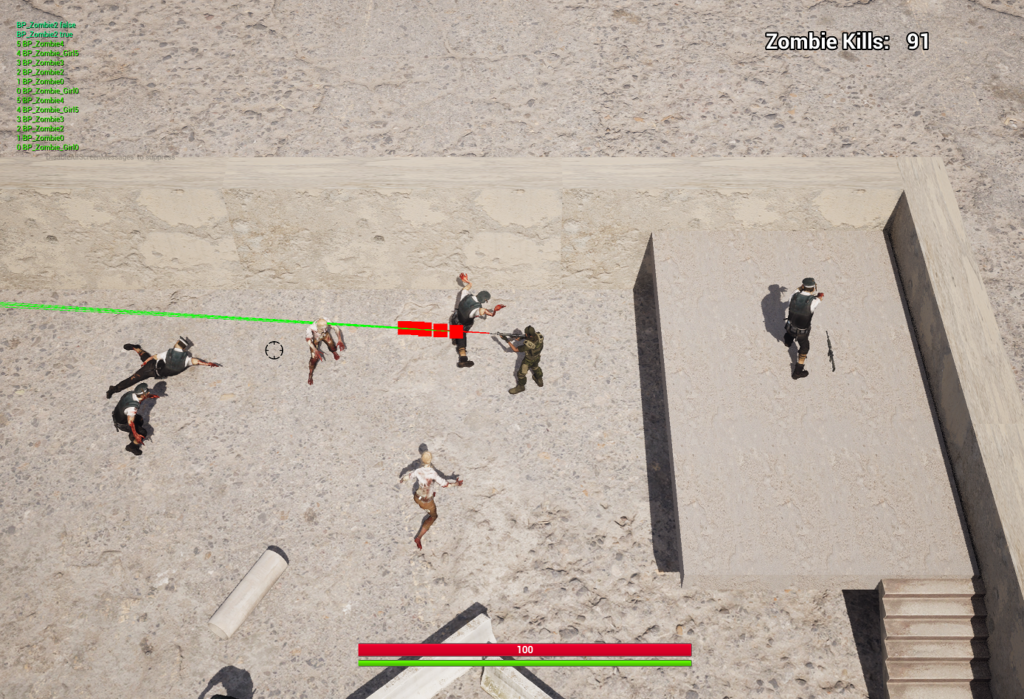
  • Zombie Mesh and Skeleton Overhaul: I’ve swapped out the old zombie model and skeleton for something far more detailed and immersive. The new mesh looks a lot more polished, and the new skeleton will let me create more dynamic animations as we go. You’ll really notice the difference in how the zombies move and react.
  • Random Zombie Spawn System: I expanded the spawn system so that zombies appear randomly throughout the game world. This makes the encounters feel more unpredictable and keeps the tension high. You never quite know when a zombie is going to come lurching out from behind a corner!
  • Blood Splatter Effects: One of the fun parts of combat has been adding blood splatter effects when zombies are shot. It’s not just for visuals – it adds a really satisfying impact when you hit your target, making the combat feel more rewarding and visceral.
  • Zombie Melee Attacks: Zombies now have a basic melee attack system in place, so they can finally strike back when you get too close. This has made those tight, up-close moments much more intense, and forces you to be a little more strategic when dealing with a crowd of the undead.
  • Player Animation Speed Tweaks: I spent some time fine-tuning the player animations, especially around movement speed. Now, running, walking, and aiming feel much more fluid. Before, the animations felt a bit off, but this adjustment really brings everything in line with the pacing of the game.
  • Weapon Zoom-Out Function: I’ve also added a cool new feature where right-clicking will zoom out the camera, but here’s the twist – the zoom level depends on the weapon you’re using. So, if you’re holding a long-range rifle, you’ll zoom out more than if you’re using a close-range weapon like a pistol. I was able to leverage the existing enum setup to manage this.
  • Fixing Weapon Equip Animations: There was a bit of an issue with the weapon equip animations not syncing up properly, but that’s all fixed now. The transitions between drawing and equipping your weapons are smooth and responsive, which is important for keeping the combat feeling tight.
  • Defining Equipment Slots: After some consideration, I’ve locked in how the equipment slots will work. You’ll have four main slots: Unarmed, Melee Weapon, Sidearm, and Primary Weapon. This setup will make it easier to manage the player’s loadout and should feel pretty intuitive when switching between different weapons.
  • Ammo Counter and Reload System: The ammo counter is fully functional now, and I’ve added reload mechanics too. When you’re in the heat of battle, you’ll need to keep an eye on your ammo, and the reload system adds another layer of strategy. Running out of bullets at the wrong time could be deadly!
  • Grenade Throw Animation: The grenade throw animation is in place and feels pretty smooth. I wanted the animation to look natural, so I spent a bit of extra time polishing the throw mechanics. Now when you toss a grenade, it looks and feels like a real action rather than just a stiff animation.

In Progress:

  • Reload Animations: I’ve added a temporary reload animation for now, but this is just a placeholder. Eventually, I plan to add different animations depending on the type of weapon you’re using. A shotgun reload should look and feel different than reloading a pistol or rifle, so that’s next on my list to polish.

Upcoming Tasks:

  • Player Vision Cone: I’m looking into adding a vision cone mechanic for the player. This would limit the player’s ability to see enemies outside of a certain field of view, adding a bit of realism and some extra challenge. It’s something that could create tense moments where zombies sneak up on you if you’re not paying attention.
  • Player Melee Combat: While the zombies can attack in close quarters, the player doesn’t have a melee attack yet. This is something I’m eager to add because I think it’ll complement the ranged combat really well. Plus, sometimes you just need to punch your way out when you’re out of ammo!
  • Spent Shell Casings: I’m planning to add spent shell casings ejecting from the player’s weapon after each shot. It’s a small detail, but I think it’ll add to the realism and immersion of the combat scenes, especially in chaotic firefights.
  • Inventory System with Equipment Slots: An inventory system is on the horizon, and I’m excited about it! It’ll allow players to manage their equipment slots and organize weapons, ammo, and items. This will tie into the combat mechanics, especially with how you’ll switch between different weapons and manage your resources.
  • Grenade Counter: Finally, I’ll be adding a grenade counter to the HUD so players can keep track of how many grenades they have left. No more guessing whether you have one more explosive in your pocket or not!

That’s where things stand right now. I’m pretty excited about how the game is shaping up and can’t wait to share more updates as I continue refining the gameplay. As always, I appreciate your support and feedback. Let me know what you think of the new features, or if there’s anything you’d like to see next!

Stay tuned for more updates soon!
Unreal Engine Breakthrough: My Next Big Project Unveiled!

For nearly two years, I’ve been immersed in small projects and commissions within UE5, yet I’ve never fully committed to creating something truly my own—something worth sharing. From the moment I first dabbled with Project RPG Alpha (dont worry I still have that toiling away somewhere), my humble RPG Maker game, the thought of evolving it into a fully-fledged Unreal Engine experience has lingered in my mind. But as I poured myself into that project, a new, insistent idea began to take root, demanding my attention, refusing to be ignored.

That was a 3rd person / top down action/RPG game, Lets have a bit of a back story.

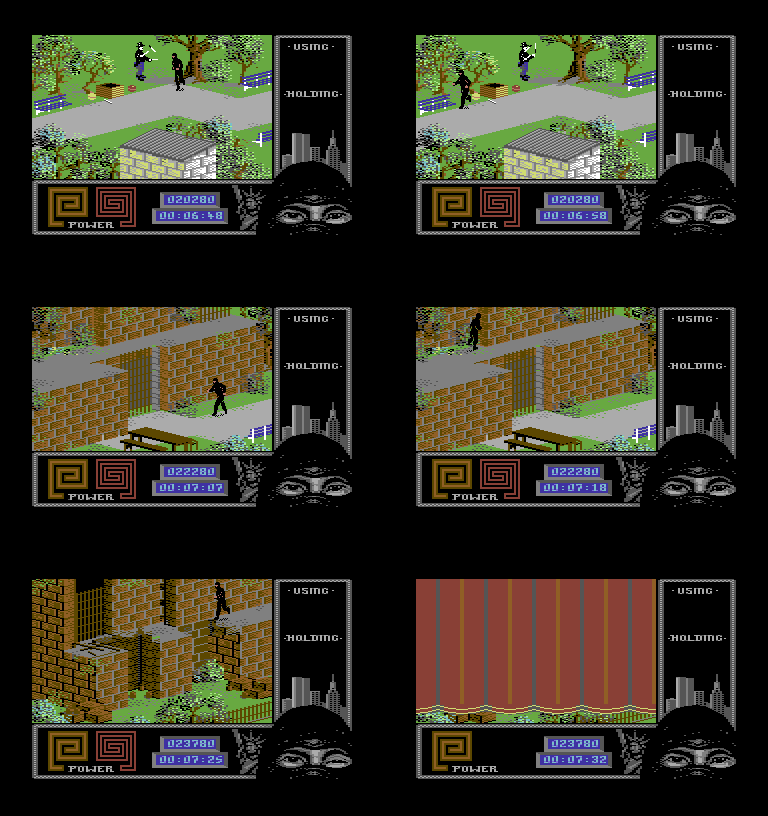
My love for old-school games runs deep, rooted in countless hours spent on the Commodore 64, and evolving with each new generation of console and PC alike. Among those early treasures, The Last Ninja II by System 3 held a special place in my heart—a masterpiece that captivated my imagination. I’ve long believed this iconic game deserved a rebirth in a modern engine, and many have tried to bring it back to life. Yet, each attempt has been silenced by cease-and-desist orders, as System 3 fiercely guards their stake in this legendary title.

last ninja II on the commodore 64

Last Ninja II – Commodore 64


As a game developer, especially in the indie scene, I fully understand the importance of protecting IP and copyright—they’re the lifeblood of our industry. So, I decided to put the idea on hold, at least for now. But then, another light-bulb moment struck: why not create a shooter from a similar perspective? My mind instantly flashed back to the thrill of playing Cannon Fodder as a kid—the addictive music, the nonstop action—it had everything I loved in a game. Yet, what really stuck with me was the iconic main menu: the green hill dotted with the graves of your fallen soldiers, while new recruits marched down to the recruitment barracks. This haunting image left a mark on me, and now, I’m driven to recreate that atmosphere—but with my own twist, breathing new life into that nostalgic memory.

Cannon Fodder

Without revealing too much—after all, IP is sacred—I’m aiming to reinvent this concept with a fresh twist. Imagine a game where your player-created character isn’t the only hero—other playable characters come with their own status, ranks, experience points, and the looming threat of perma-death. I’m also toying with a POW mechanic that adds an intense layer of strategy: rescuing captured comrades and returning them to your ranks, knowing full well that each mission could be their last. It’s a dynamic, high-stakes world where every decision could mean the difference between victory and permanent loss.

Enter: Project ProtoFodder

Once again, protecting IP is key, so ProtoFodder is just a working title—a nod to the inspiration driving this project. I wanted this game to be a true reflection of my vision, so I started from scratch with a blank UE5 project, building everything from the ground up. For now, I’m using models from the marketplace and Sketchfab, allowing me to focus on prototyping the core game mechanics. But before I could dive into that, I needed to establish the basics—a functional level and a solid movement system—to lay the foundation for what’s to come.

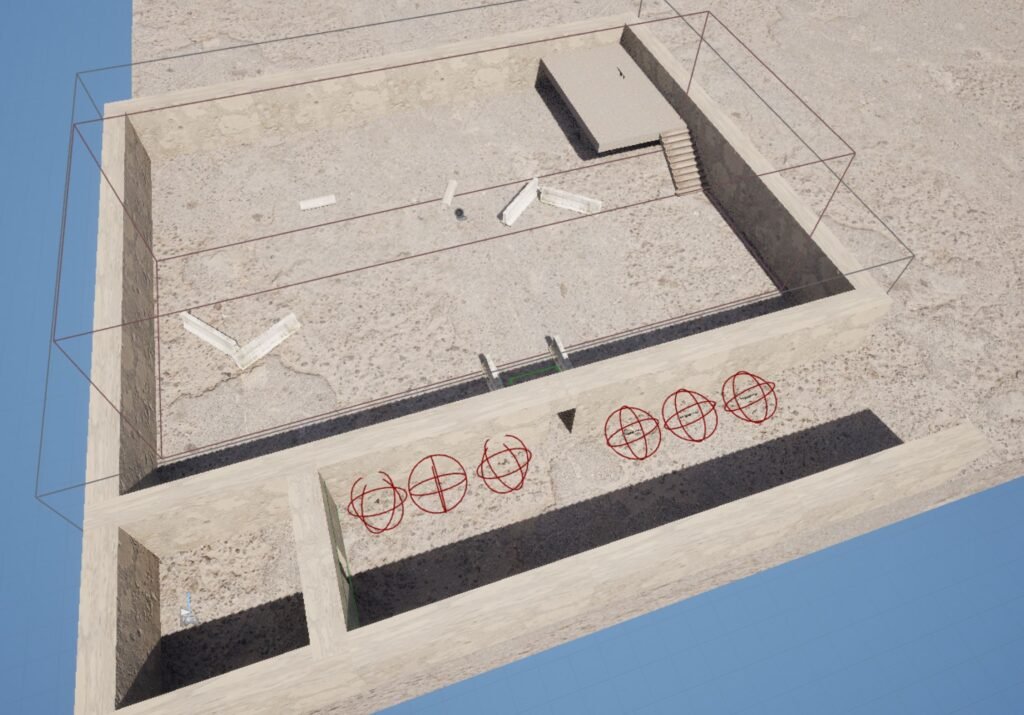
I began by crafting a basic floor plan and pinpointing the ideal location for the starting area. From there, I partitioned off various sections, realizing I needed a dedicated space for spawning enemies. It was crucial to avoid the pitfall of designing an expansive test level only to later struggle with integrating the movement and aiming systems. My focus was on creating a functional environment that would allow me to fine-tune these mechanics effectively before expanding further.

I shifted my focus, diving into the technical setup by organizing a dedicated folder for my AI components. I integrated an IMC and mapped out the movement keys, then moved on to the Character Blueprint to refine the aiming-at-cursor system. The results were promising—my character could now navigate the environment while tracking the cursor with precision. It was a significant milestone, marking the successful implementation of a core feature.

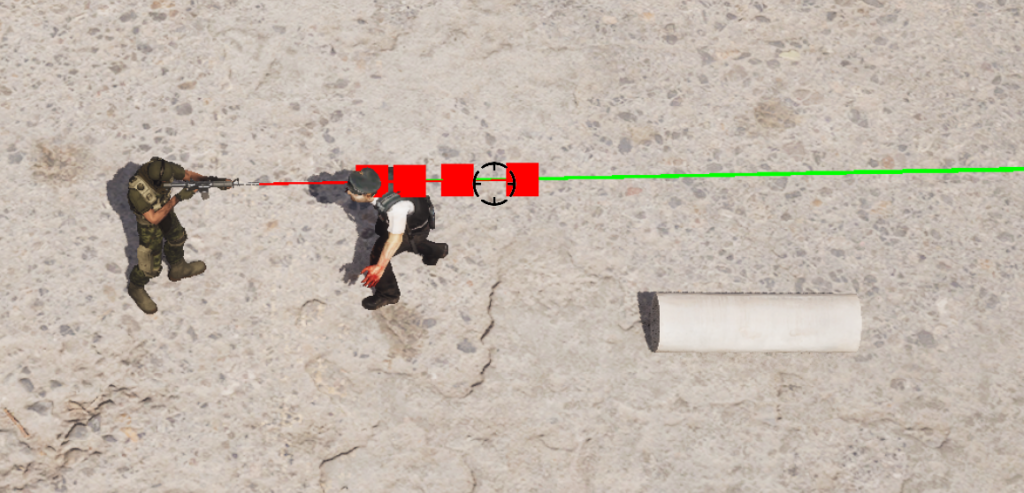
To cut to the chase, after nailing down the look-at-cursor system, I turned my attention to testing the weapon aiming mechanics. I created a crosshair cursor and equipped my character with a pistol to see how it would handle. That’s when I hit my first major roadblock: the line trace. I set up two trace points—one from the pelvis and another from the barrel of the pistol—but quickly realized the trace from the barrel wasn’t intersecting with the crosshair. This misalignment meant that shots fired at enemies wouldn’t hit where the player aimed, presenting a critical challenge I needed to overcome.

No matter what I tried—tweaking aim offsets, adjusting parameters—I just couldn’t get my character to aim precisely at the cursor. I suspected the issue lay with the camera angle, but I couldn’t figure out how to resolve it. Up until now, my experience had been with third-person, first-person, or top-down games—never one where the camera was set at a distance with such an unconventional angle. It was a frustrating challenge, one that pushed me to confront the limits of my knowledge and forced me to think beyond my usual approaches.


My progress ground to a halt. Countless hours bled into frustration as I tried every possible approach to perfect the look-at-cursor function. I scoured forums, dug through endless YouTube tutorials, hoping for a breakthrough. But no matter what I did, nothing worked.

In the end, I gave up.

Breakthrough

It had been nearly two months since I last opened my project, and the frustration had drained even my desire to work on my RPG game. I haven’t mentioned this on my blog before, but I’m a tertiary education teacher, specializing in general IT and game development. Recently, during a lecture on game development using UE5, a student asked a question. Though it wasn’t directly related to my issue, the way they phrased it sparked an epiphany—ray tracing!


I had been stuck on line tracing all this time, but then it hit me—why not use ray tracing from the camera to the plane and create an intersection to fix the cursor problem? Math has never been my strong suit, so I did some Googling and pieced together a solution from various sources. With a bit of trial and error, I managed to set up a ray trace to line intersection.

Ray tracing to line intersection is all about precision. Instead of relying on basic line tracing from the character to the cursor, I realized I could leverage a more sophisticated approach. By casting a ray from the camera—essentially a straight line—to the game’s plane, I could calculate the exact point where that ray intersects. This intersection gives a true point of reference for where the cursor actually is in 3D space, perfectly aligning the aim. It’s a more complex solution, but one that ensures the character’s aim hits exactly where the player intends. It took some research and a bit of cobbling together, but it finally brought everything into focus.


Vola! With the new system in place, my shots finally hit their mark, bringing those pesky enemies down with precision. Since then, I’ve made significant progress, even overhauling the older weapon system—but that’s a story for another time.

Sometimes, all it takes is stepping away, letting your mind clear, and trusting that the solution will eventually reveal itself.

Until next time!